

Ampora DC Private evaluation
Plan the room before anyone pulls cable.
Ampora DC keeps a data center room's layout, the equipment in every cabinet, and the power and network connections between them in one model. Change one and you see what else it touches before anything is applied.
Ask about the evaluation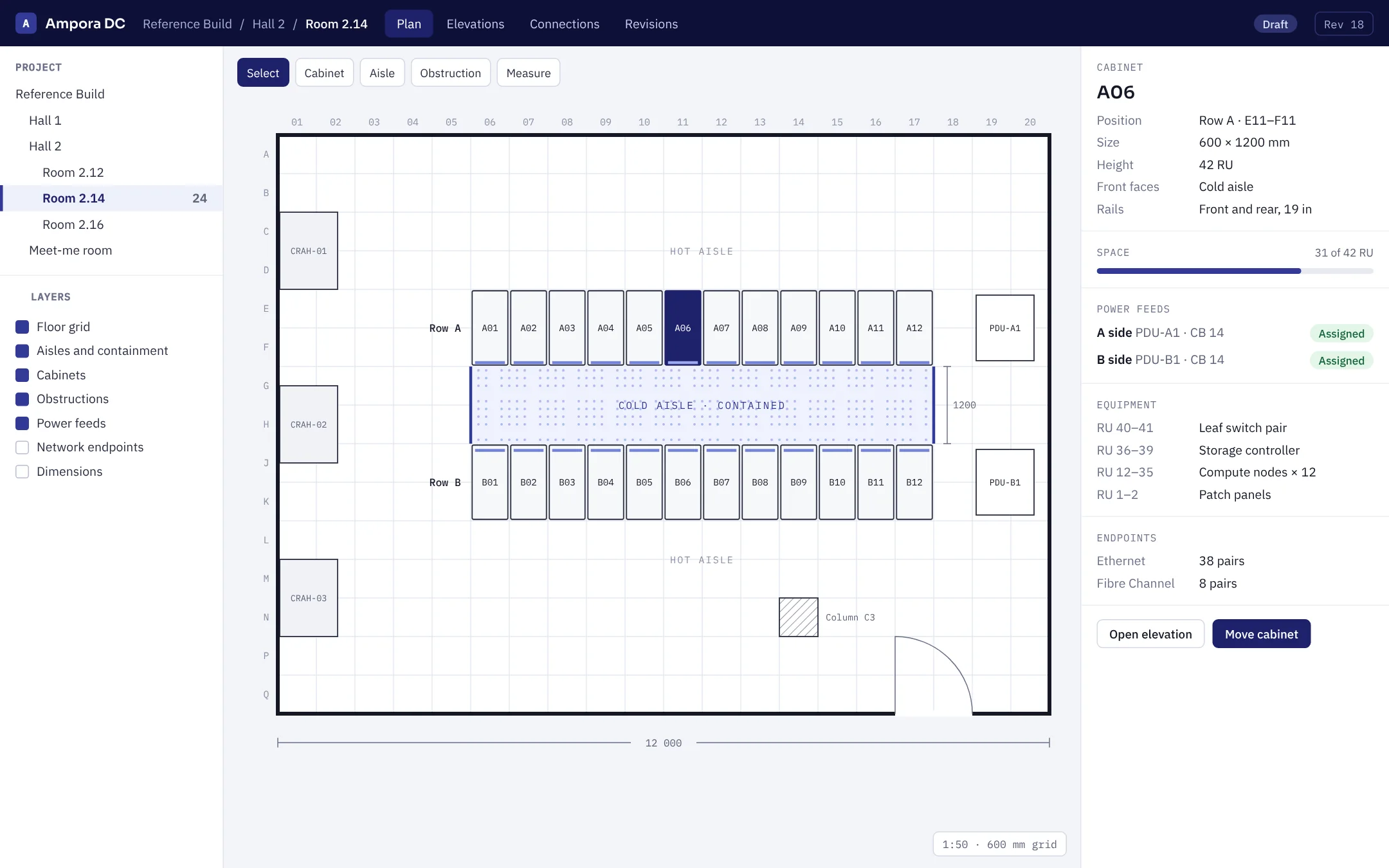
What it does
01
Rooms drawn to scale
Rows, hot and cold aisles, containment and obstructions such as columns, set out on a 600 mm placement grid.
02
Cabinets and rails
Size, height in rack units, front orientation and rails for every cabinet, so the plan matches what will be installed.
03
Equipment by rack unit
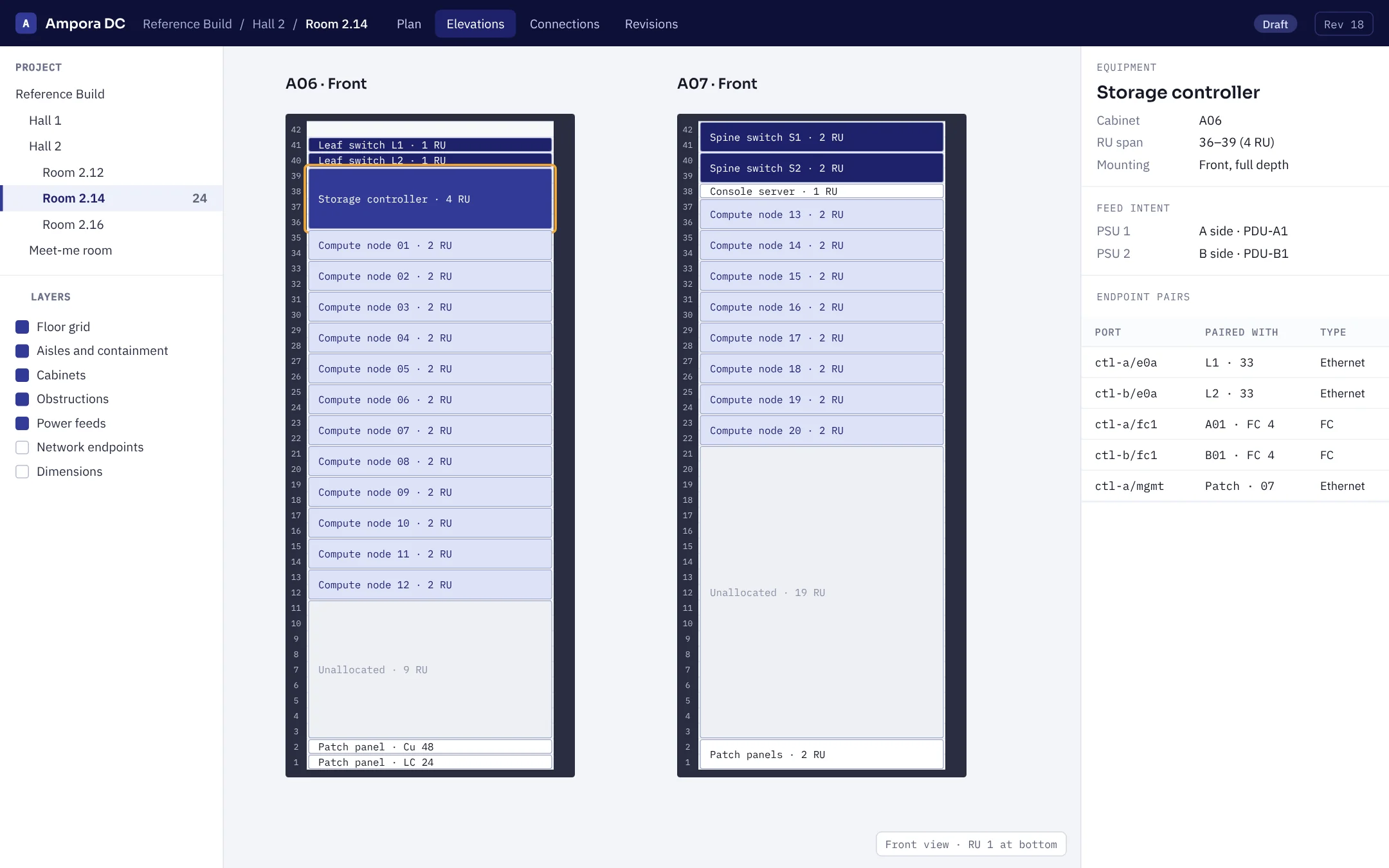
Place equipment by RU span and mounting face, and see how much space is left in each cabinet.
04
A and B feed intent
Record which PDU and which side each power supply is meant to draw from, cabinet by cabinet.
05
Endpoint pairs
Record the Ethernet and Fibre Channel endpoint pairs between equipment, and keep them with the equipment when it moves.
06
Preview, then apply
Every move shows what it affects before it changes anything, and is saved as a revision of the room.
Every cabinet, rack unit by rack unit.
Open any cabinet to see its front elevation. Select a piece of equipment to see its RU span, mounting, which feeds its power supplies are meant to use and what its ports are paired with.
- Free and allocated space at a glance
- Feed intent recorded per power supply
- Endpoint pairs listed with the equipment
Change the room without losing track.
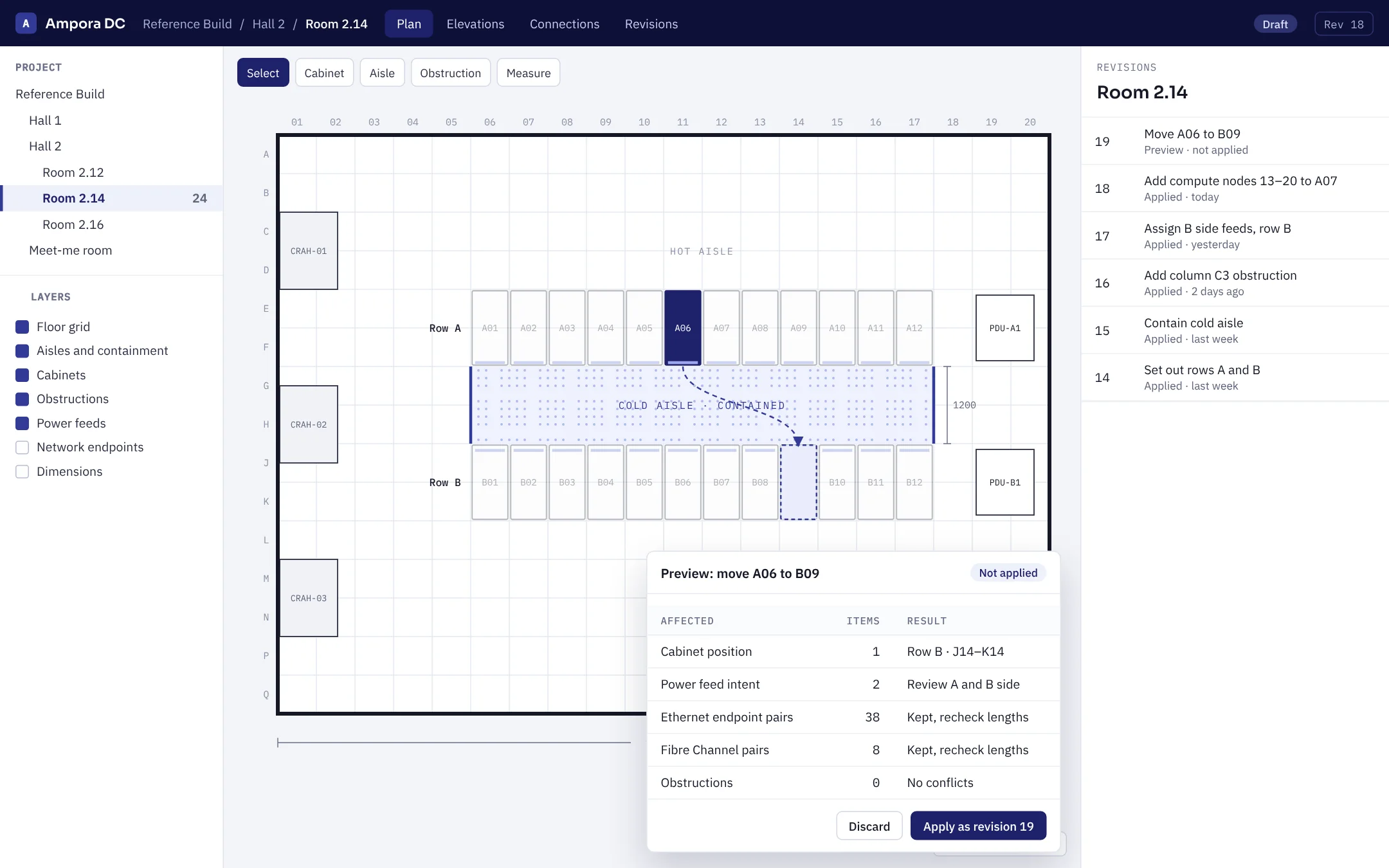
Moving a cabinet is the easy part. Ampora DC lists what the move affects first: its position, its power feed intent, and the endpoint pairs that need their lengths rechecked. Nothing changes until you apply it.
- An impact preview before every move
- Equipment and endpoints stay attached to the cabinet
- Each applied change becomes a revision you can look back on
Who it's for
Ampora DC is for the companies that plan and build data center rooms: design consultancies, systems integrators and equipment manufacturers. It is licensed to companies, not individuals.
It is in private evaluation with a small number of companies. The screens on this page are illustrative and use a sample project. If you plan rooms and want to try it on real work, get in touch and we will set up an evaluation.
Evaluate Ampora DC
Tell us a little about your company and the rooms you plan, and we will be in touch about an evaluation.